ChapterIQ runs the local meetings your chapters hold every month. It invites the right people from your CRM, collects real RSVPs, and reminds only the people who haven't answered. It checks everyone in at the door. When the meeting closes, you get a reconciliation your sponsors and caterers can trust, and a clear view of which member companies are actually participating.
Outlook invitations and a spreadsheet will get a meeting onto the calendar. They won't tell you how many people to feed, who actually came, or what to send the sponsor afterward.
An Outlook accept is not an RSVP. It doesn't tell you whether a colleague is coming along, whether anyone has a dietary need, or how many seats a company is entitled to.
Reminder emails go to everyone because nobody has a clean list of who hasn't answered yet.
Sometimes it goes the other way, and 110 people arrive and the food runs out. Either way, nobody compared the RSVP list against who actually walked through the door.
Sponsors need a roster for their expense reports. Assembling one from sign-in sheets and memory takes hours, and it is never quite right.
You set up a meeting from a template in about two minutes. ChapterIQ handles everything from there and hands you the numbers when the meeting is over.
Your member companies and their people come in from Salesforce, HubSpot, Dynamics, or a spreadsheet. Their chapter assignments come with them.
Each company gets a set number of seats, and you can leave out anyone who shouldn't be invited. Every invitation includes a calendar hold and a personal RSVP link.
Each person can answer for themselves. Or a member company can name one coordinator who responds for the whole team, adds a new hire, and records dietary needs. Either way, everyone gets their own confirmation.
People who haven't responded get a nudge. People who have responded get the logistics the day before. Nobody gets a message they didn't need.
At the door, you tap a name or scan a code, add any walk-ins, and close the meeting. Your no-shows, walk-ins, catering variance, and sponsor roster are ready as soon as you do.
Most event tools assume that every attendee registers as an individual and that every event is a one-off. If your members belong through a company, and your chapters meet in person on a regular schedule, those tools fit badly. ChapterIQ was designed for exactly that kind of network.
Your members are businesses. Each one sends a few people to a monthly market meeting that a preferred vendor sponsors and caters.
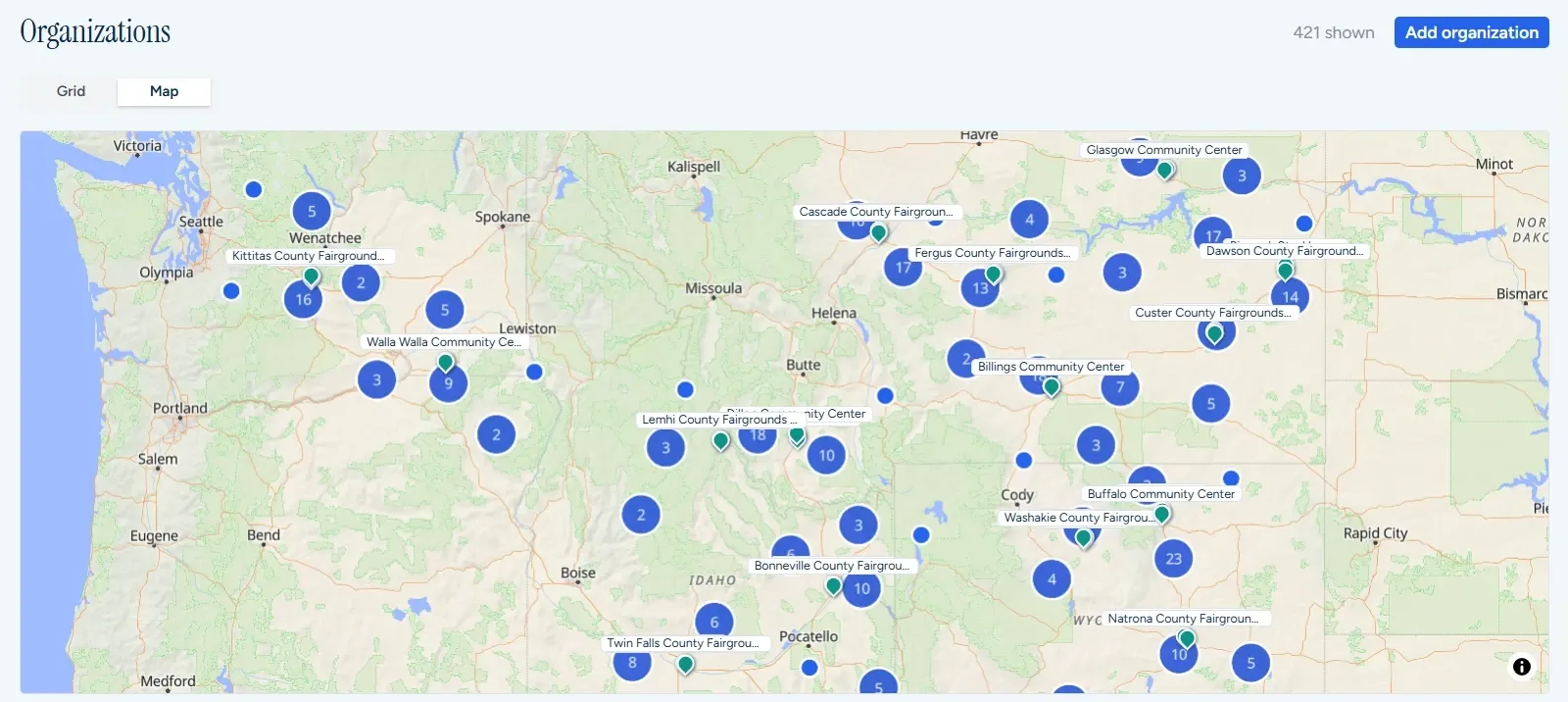
ChapterIQ gives each member company its own seat allocation and produces the vendor's attendee roster when the meeting closes. It also shows you which companies have gone quiet in each market.
Dozens or hundreds of chapters run luncheons, education sessions, and mixers. Most of them are led by volunteers with very little staff support.
Chapter leaders run their own events while headquarters sees all of them. Attendance history is kept for continuing-education credit and engagement tracking, and chapters can be compared without anyone building a spreadsheet.
A statewide or national organization brings local partner agencies together for training and networking. Often a grant pays for it, and the funder expects attendance reporting.
One person can register a partner agency's whole team. Accommodation and dietary needs are captured for each attendee, and attendance reports by organization are ready for the funder.
Meetings are where members become involved in a network, and involved members are the ones who buy through it, renew, and refer others. ChapterIQ turns attendance records into a clear picture of participation that headquarters can act on every month. It also writes that picture into your CRM, right next to your purchasing and renewal numbers.
At free events, somewhere between a quarter and half of the people who said yes typically don't show up, while others arrive unannounced. The defaults below describe a 19-chapter association that holds monthly member meetings and quarterly evening socials. Move the sliders to match your own network.
The recovery figure assumes you order to a forecast built from each chapter's own no-show and walk-in history, rather than to the raw RSVP count. It does not include sponsor time, staff time, or the cost of running out of food.
Most chapter meetings happen in the private room of a local restaurant, or in a hall with food brought in. ChapterIQ keeps each chapter's regular places on file and handles the back-and-forth with them.
The vendor who bought lunch or hosted the bar has to file an expense report, and that report needs every attendee's name on it. ChapterIQ produces it the moment the meeting closes.
Assign staff to one chapter or several. Chapter managers see only their own chapters, and headquarters sees all of them.
Include or exclude whole companies as well as individuals. Each company gets a seat allocation that you can override, and the room limit comes with a waitlist that promotes people automatically.
This is a setting for each member company. Either everyone responds for themselves, or one designated person answers for the whole team, adds new people, and enters dietary needs for each of them.
An invitation places a hold on the calendar, a confirmation makes it firm, and any change updates it. Outlook and Google Calendar stay in sync without a single Outlook invite.
Reminder rules send to non-responders before the deadline and to registrants before the event. You can pause a rule, edit it, or send it right now.
Tap a name, scan a QR code, or let attendees check themselves in. Walk-ins take seconds to add, and several staff can work the door at once.
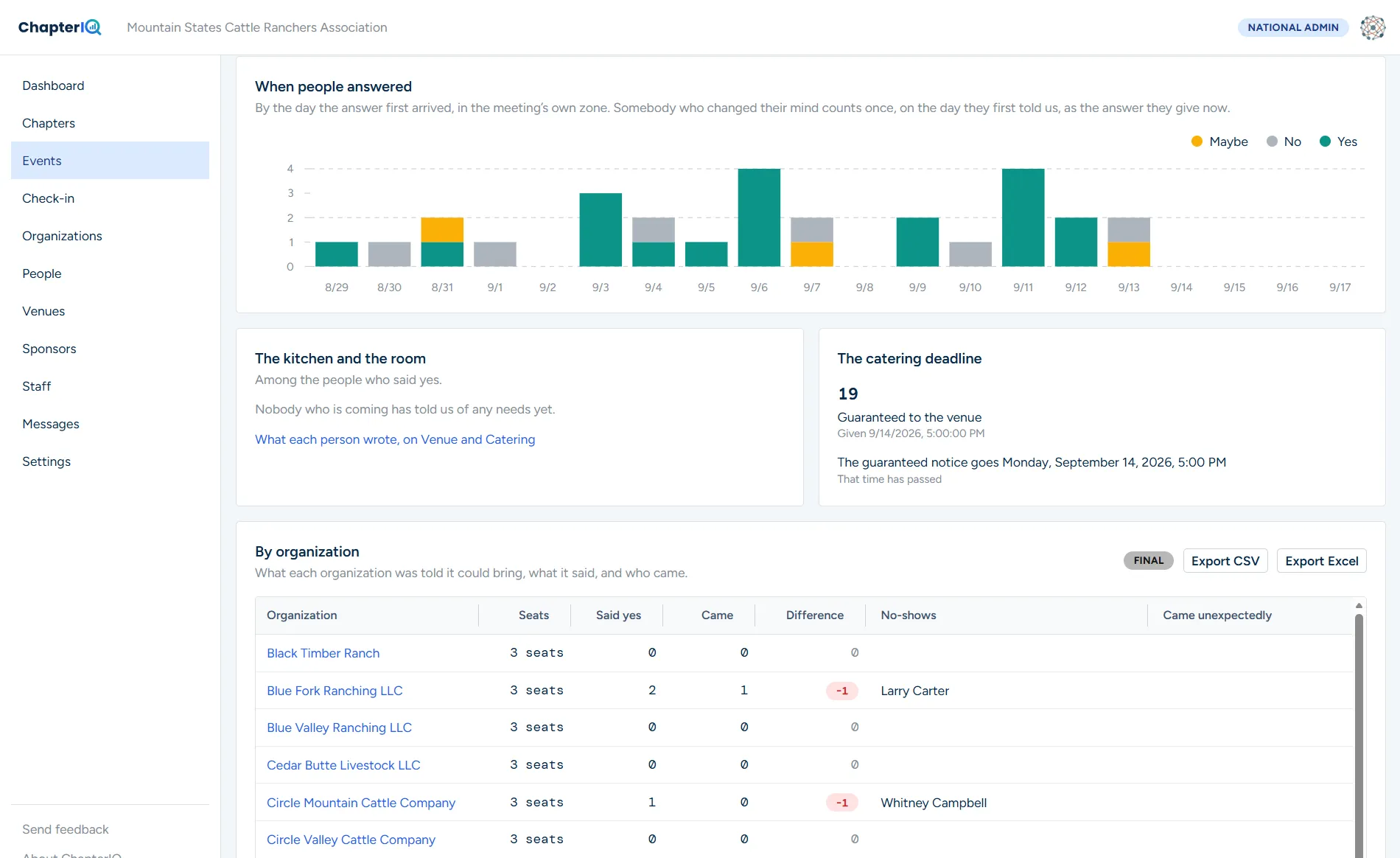
See expected versus actual attendance, no-shows, walk-ins, headcount accuracy, and catering variance for every meeting and every company.
Sponsors get the attendee list they need for their expense report in CSV, Excel, or PDF. Food and bar totals appear on separate lines, and the report goes out automatically when the meeting closes.
Save a meeting as a template or set up a monthly series. The next meeting takes about two minutes to create, and its reminders and sponsor settings come along with it.
Keep each chapter's regular restaurants, halls, and caterers on file. Ask three of them for availability in one click, compare their answers side by side, and pick one. The others are released, and the winner receives a preliminary, guaranteed, and final headcount without ever logging in.
Send the slides to attendees and a note to the people who missed it. Every message is logged against the person who received it.
Watch a live funnel for each event and follow chapter trends over time. A national view compares every chapter on response, attendance, and reliability.
All of your data is available through a documented REST API and a hosted MCP server. Your analysts and AI assistants can ask questions of it directly.
Staff sign in with the Microsoft 365 or Google work account they already have. There are no passwords to manage and nothing for your IT team to set up. Enterprise single sign-on is available when you want it.
Signed links, chapter-scoped access, consent for sponsor sharing, audit logs, and retention rules for sensitive fields are all built in.
ChapterIQ never asks you to migrate your membership database. It reads the organizations and people it needs, and it can write participation back to your CRM if you want it to. Pick an integration to see how it works.
Your HubSpot administrator creates a private app in a few minutes and gives it read access to companies and contacts. That token is the whole connection. ChapterIQ then asks two questions: which company property says that a company is a member, and which property or association says which chapter it belongs to. Most networks already have both.
Companies and their contacts sync on a schedule, and a contact who changes employer in HubSpot moves to the new member company in ChapterIQ on the next sync. If you want participation in HubSpot, ChapterIQ can write a small set of properties to each company, such as last attendance and engagement tier, and post a timeline event when a company attends a meeting. Those show up in lists, workflows, and reports like any other property.
This works on any HubSpot tier, including the free CRM. Nothing here requires Operations Hub or a custom object.
Because your staff sign in to ChapterIQ with their Microsoft 365 accounts, the connection to Dynamics lives in the same Microsoft Entra tenant. Your administrator registers ChapterIQ as an application once, creates an application user in Dataverse, and assigns it a security role that reads Accounts and Contacts. We supply the role definition and a step-by-step guide, and the whole thing takes about twenty minutes.
ChapterIQ reads through the Dataverse Web API using change tracking, so each sync moves only the records that changed since the last one. Membership and chapter come from whichever fields you already use for them. Write-back, if you turn it on, goes to a small set of custom fields on the Account or to a Campaign Response, and the guide includes the solution file that adds them.
Dynamics 365 Sales and Customer Engagement are both supported, as is a plain Dataverse environment behind a Power Apps model-driven app.
Plenty of networks keep their roster in Excel, and ChapterIQ treats that as a first-class source. Download our template, which has one sheet for member organizations and one for people, fill it in or paste from what you already have, and upload it. ChapterIQ shows you what it understood before it saves anything.
Every upload updates the roster in place rather than adding to it. Organizations are matched by an identifier you choose, people by email address, so uploading last month's file with twenty changes produces twenty changes and no duplicates. Rows that disappear from the file are marked inactive, never deleted, and you can see exactly which rows each upload touched.
If someone already produces this file on a schedule, they can email it to your ChapterIQ import address instead of uploading it. That is also how the Salesforce report subscription works, and it means the roster stays current without anyone remembering to do anything.
ChapterIQ has no passwords of its own. Staff click Sign in with Microsoft and use their Microsoft 365 work account, which means the multifactor and conditional access rules your IT department already set apply to ChapterIQ automatically. When someone leaves the organization and their account is disabled, their ChapterIQ access ends with it.
The first person from your organization to sign in creates the workspace, and colleagues who sign in from the same verified email domain join it rather than creating their own. An administrator can also invite people directly and assign them to chapters. Your Entra administrator sees a single consent screen the first time, listing exactly what ChapterIQ asks for, which is the ability to read the signed-in user's name and email address and nothing else.
Organizations that want to require their own identity provider, restrict sign-in to particular groups, or provision users automatically can do that with enterprise single sign-on on the Scale and Enterprise plans.
Organizations that run on Google Workspace get the same arrangement. Staff click Sign in with Google and use their work account, ChapterIQ receives their name and email address, and nothing else about the account is visible to us. Two-step verification and any other policy the Workspace administrator has set carry over.
A network with a mix of both is fine. Headquarters can be on Microsoft while a chapter's volunteer leader signs in with a Google account, and either kind of account can be assigned to any role. What matters to ChapterIQ is the verified email domain and the role you gave the person, not which company issued the account.
Personal Gmail and Outlook.com accounts can be invited when a chapter is run by a volunteer who has no work account, and an administrator can turn that off for the whole organization.
The REST API exposes the same data the application uses: organizations, people, chapters, events, invitations, responses, check-ins, and the participation figures computed from them. It is documented with an OpenAPI description, so you can generate a client in whatever language your team uses, and every endpoint page includes a working example.
API keys belong to your organization and can be limited to particular chapters and to read-only use. A key can list who attended last quarter's meetings, but it can also create an event from a template, add invitees, or record a check-in from a badge scanner you already own. Every call is logged with the key that made it.
Common uses so far are a nightly pull into a data warehouse, a Power BI report on chapter participation, and a membership team's own renewal dashboard that shows attendance next to dues.
ChapterIQ hosts a server that speaks the Model Context Protocol, the open standard that lets AI assistants such as Claude, ChatGPT, and Microsoft Copilot use outside tools. Connect it once and a chapter manager can ask, in plain words, which Central Wyoming companies have not attended since March, or how this year's no-show rate compares with last year's, and get an answer drawn from the live data.
The server uses the same keys and the same permissions as the REST API, so an assistant can see only what the person who connected it can see. It is read-only unless you deliberately issue a key that allows writes, and every question it answers is logged in the same place as every API call.
This is the piece we expect to matter most to small teams. An analyst is a luxury most networks do not have, and this gives every chapter manager something close to one.
A webhook is a message ChapterIQ sends to a web address you give it whenever something you care about happens. When a meeting closes, when someone responds to an invitation, when a member is checked in at the door, or when a company's engagement tier changes, ChapterIQ posts the details to your endpoint within seconds.
That is how a meeting's closing can start a Power Automate flow that files the sponsor report in SharePoint, or how a Zapier zap can post the headcount to a Slack channel, or how your own code can update a renewal system the moment a lapsed company shows up again. Each message is signed so your endpoint can verify it came from ChapterIQ, and if your endpoint is down, ChapterIQ retries for a day and keeps a log you can replay from.
Every invitation ChapterIQ sends carries a standard calendar attachment, so the meeting lands on the invitee's calendar as a tentative hold the moment the invitation arrives. When they say yes, the entry becomes firm. When the time or venue changes, the entry updates. When they decline, or the meeting is cancelled, it disappears. This works in Outlook, Google Calendar, and Apple Calendar without anyone installing anything.
What is different from sending an Outlook meeting request is that the accepts and declines do not come back to the chapter manager's mailbox. The RSVP page collects the answer, along with the questions an Outlook invitation cannot ask, and the calendar entry simply reflects it.
Chapter managers can also subscribe to a feed of their own chapters' meetings, so the events show on their calendar with the current headcount in the description and a link straight to the event.
Every plan includes unlimited events, unlimited RSVPs, and unlimited staff users. You should never have to think twice about inviting someone.
No. Each invitee gets a personal link, and they use it to RSVP, change their answer, and check in. Only your staff sign in, and they do that with the Microsoft or Google work account they already have, or with an emailed link. There is nothing for your IT department to set up.
They still get a calendar entry. The invitation places a tentative hold, the confirmation makes it firm, and any change updates it. What they gain is a real RSVP page that asks the right questions.
No. It is a setting for each member organization. By default, everyone gets their own invitation and answers for themselves. A company can instead designate a coordinator, such as an owner or office manager, who receives the invitation and responds for the whole team. Either way, everyone marked as attending gets their own confirmation and reminders. You can also let the rest of the team know that their coordinator is handling it.
You set a default number of seats per organization for an event and override it for specific companies. When a company reaches its allocation, further yes responses are waitlisted until you raise the limit or promote them.
When the meeting closes, each sponsor receives an attendee list containing only the fields you allow. It comes as CSV, Excel, or PDF, and the header names the event, date, chapter, and sponsor. You can review it before it goes out, and attendees can opt out of being shared.
Not to start. If you can run a report, you can subscribe it to ChapterIQ, and your roster stays current with no administrator involved. When your admins have fifteen minutes, we give them an installable package, a step-by-step runbook, and a security summary for their ticket. The live connection then takes over with your history intact. Access runs through a dedicated integration user whose permissions and sharing rules stay under their control, and ChapterIQ shows exactly what it can see.
Yes. There is a documented REST API and a hosted MCP server. The MCP server lets AI assistants such as Claude, ChatGPT, and Copilot query your events, RSVPs, and attendance with the same permissions as any other API credential.
That is your choice, and it can change over time. On day one, invitations come from a ChapterIQ address that carries your organization's name, and replies go to your chapter manager. Nothing has to be set up. When your DNS administrator has ten minutes, they can add three records that we generate, and mail will come from your own domain. Enterprise customers can also send through their own email provider.
We take deliverability seriously, because a reminder in the junk folder is worse than no reminder at all. Mail goes out from authenticated domains on dedicated sending infrastructure that is warmed up and isolated for each customer. Bounces are handled automatically, and sends are spread out rather than sent all at once. Sending from your own domain makes it better still.
Network, Scale, and Enterprise customers receive an annual invoice that can be paid by ACH, wire, or check. We can work from a purchase order if your accounts payable team needs one, and we send the W-9 and vendor paperwork up front. A card works too. Monthly card billing is available on the Chapter and Network plans.
It is yours. You can export organizations, people, events, RSVPs, and attendance history as CSV or Excel at any time, or pull them through the API. After a contract ends, we keep your data for 90 days so you can export it, and then we delete it.
Not yet. ChapterIQ is built for member meetings that are free to attend. Paid registration is on the roadmap.
We set up your chapters and connect your roster. Then we measure headcount accuracy and catering variance against your current numbers. Most networks see the difference at the first meeting.
This opens a message in your email program addressed to info@chapteriqevents.com. We use what you send only to reply. Privacy Policy.